Testimonial Collection Email Templates for SaaS
Copy-paste testimonial collection email templates for SaaS, when to send each one, subject lines that get opened, and how to follow up without nagging.
Edvin Åslund
Founder of Aboast
You've got happy customers. You know they're happy — they told you in a support chat, in a renewal call, in a reply to your onboarding sequence. But when you finally send the "would you leave us a review?" email, silence. Maybe one reply out of twenty.
The problem isn't your customers. It's the email. Most testimonial collection email attempts are vague, poorly timed, and make the customer do all the mental work. Fix those three things and the responses start coming in. Here's exactly how.
Why Most Testimonial Request Emails Fail
Bad testimonial emails share a pattern. They're sent too late, they're too long, and they ask an open-ended question like "Would you mind sharing your experience?" That question puts a blank page in front of the customer. Blank pages kill responses.
The other common mistake is sending from a no-reply address or a generic "team@" alias. It feels like a mass blast. Customers can smell it. They archive it without reading past the subject line.
Here's what actually drives a response:
- Timing: sent within a day or two of a clear win or milestone
- Specificity: references something real the customer actually did or achieved
- One clear ask: a single link, a single action, under a minute to complete
- Low friction: the form they land on is dead simple — no account creation, no essay prompt
The Best Moment to Send a Testimonial Collection Email
Timing is the variable most founders underestimate. The best moment isn't "after 90 days" or "at renewal." It's right after a moment of delight — when the customer just got a result they cared about.
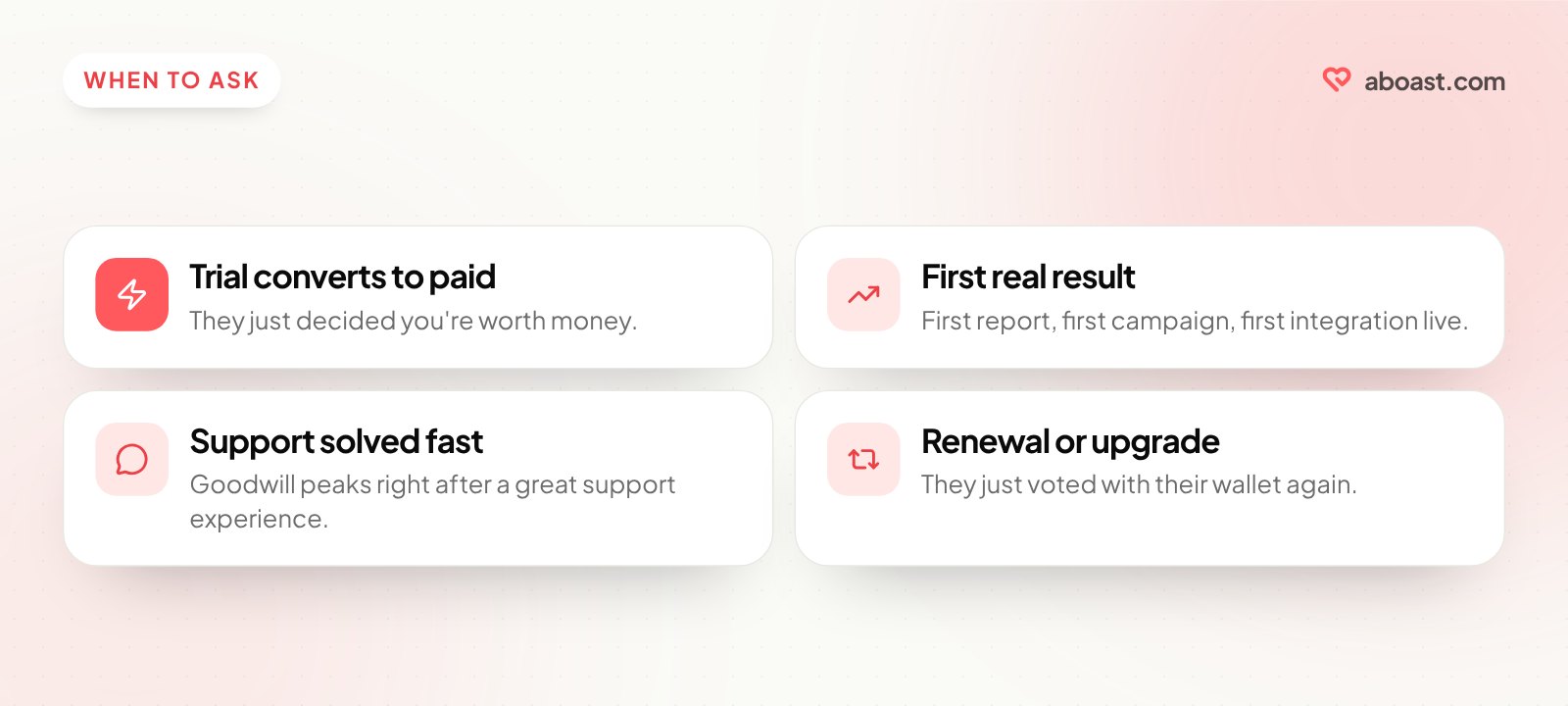
For SaaS, those moments look like:
- Trial converted to paid — they just decided you're worth money
- First meaningful output — first report generated, first campaign sent, first integration live
- A support ticket resolved fast — goodwill is at its peak right after a great support experience
- Renewal or upgrade — they just voted with their wallet again
The reason is simple. Right after a win, the customer has something specific to say and the feeling is fresh. Weeks later, the same email asks them to reconstruct a feeling they've moved on from — and "I'll do it later" usually means never.
Testimonial Collection Email Templates That Actually Work
These are templates you can copy and adapt. Each one is short on purpose. Respect the customer's time and they'll respect your ask.
Template 1: The Post-Conversion Email
Subject: Quick question about your first week
Hey [First Name],
You just upgraded — congrats, and thank you. I'm curious: what was the moment that made you decide to go paid? Even one sentence would help.
If you're open to it, I'd love to turn your answer into a short testimonial on our site. Takes under a minute: [link]
No pressure either way.
— Edvin
Why it works: it asks a specific, interesting question first — not "leave a review." The customer has to think about their decision, which brings back a positive memory. The testimonial ask comes second, almost as an afterthought.
Template 2: The Milestone Email
Subject: You just hit [milestone] 🎉
Hey [First Name],
I noticed you [sent your 10th report / connected your third integration / hit 1,000 subscribers] — that's a real milestone.
Would you be willing to share what that's meant for you or your team? A sentence or two is plenty. Here's a quick form: [link]
Thanks, Edvin
The milestone email works because you're celebrating them, not asking a favor. The framing matters. They feel seen, not solicited.
Template 3: The Direct Founder Email
Subject: A small favor?
Hey [First Name],
I'm Edvin, founder of [Product]. I saw you've been using [Feature] regularly — that's exactly the use case we built it for.
We're building out our social proof and I'd love a quick quote from you. Literally two sentences about what changed since you started using us: [link]
Means a lot. Thank you.
— Edvin
A note from a named person reads like a conversation; a note from a brand reads like a campaign. People say yes to people, not to brands. Even if your company has 50 employees, send this from a real name.
How to Set This Up Without Doing It Manually
The templates above work. But if you're sending them one by one, you'll do it twice and then stop. The system has to run without you.
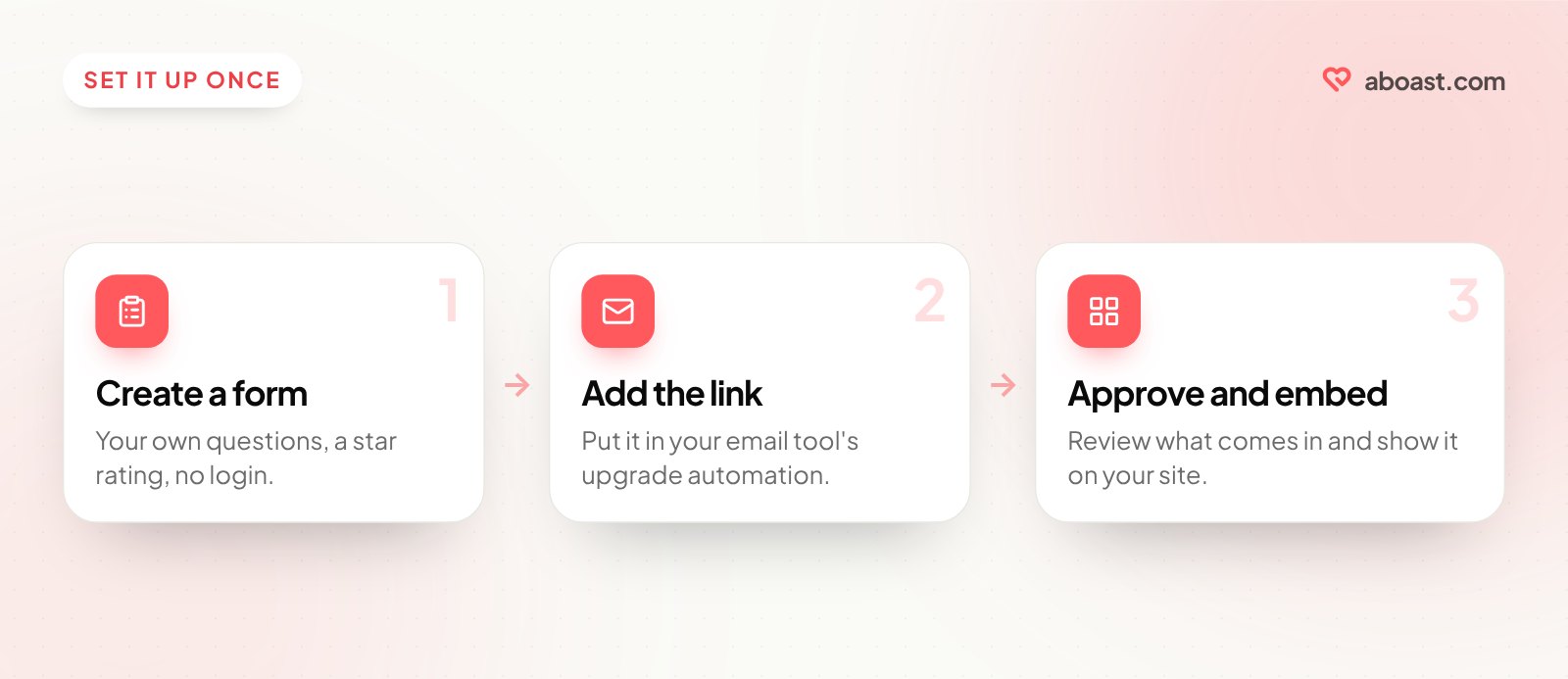
Two pieces make that happen:
- A collection link that's always ready. With a tool like aboast you create a form once and get a shareable link. The customer clicks it, answers your questions, gives a star rating and their name — no account needed. You write the question labels and placeholder text yourself, so instead of a blank "Share your experience" box they see "What were you trying to solve?" and "What's changed since you started using us?"
- A trigger in the email tool you already use. Most email platforms and CRMs can send an email when an event happens — a subscription starts, a plan is upgraded, a tag is added. Put one of the templates above in that automation with your collection link inside.
aboast doesn't send the email for you; your email tool does. What aboast handles is everything after the click: the form, the inbox where submissions land, a choice between approving each one or auto-publishing, and the widgets to show them on your site. The goal is zero manual effort after setup.
For the questions themselves, see testimonial questions to ask customers.
Subject Lines Worth Stealing
Your email doesn't exist if it doesn't get opened. Subject lines for testimonial requests should feel personal, not promotional. Avoid anything that sounds like a survey blast.
- "Quick question about your first week"
- "A small favor?"
- "You just hit [milestone] — mind sharing?"
- "Honest question for you"
- "Can I quote you on something?"
- "What changed for you since you started using [Product]?"
Notice none of them say "testimonial," "review," or "feedback." Those words signal work. You want the subject line to feel like a conversation starter, not a task.
What to Do With the Testimonials Once They Come In
Collecting testimonials is step one. Most founders stop there — they paste a few quotes into a Google Doc and forget about them.
The ones that earn their keep are displayed in context, near the decision point. That means on your pricing page, next to your primary CTA, and on your trial signup page — not buried in a "Customers" section nobody scrolls to.
A few things that make testimonials more convincing:
- Real name and company — anonymous quotes are easy to dismiss
- Specificity over enthusiasm — "saved us 4 hours a week" beats "amazing product!" every time
- Recency — a testimonial from three years ago feels stale. Rotate in fresh ones.
- Match to your ideal customer — show testimonials from people who look like your target buyer, not just your happiest customer
For a deeper look at placement, read where to put testimonials on your landing page. And if you're weighing testimonials against longer customer stories, this post on B2B SaaS case studies covers when a full case study is worth the effort.
The Follow-Up: When to Send a Second Ask
One email isn't always enough. But most founders either never follow up or follow up too aggressively. One follow-up, sent 5–7 days after the first, is the sweet spot.
Keep it short:
Hey [First Name] — just bumping this up in case it got buried. No worries if now isn't a good time. [link]
That's it. Brevity signals confidence. You're not desperate. You're just making it easy.
After two emails, stop. If someone hasn't responded to two well-timed, personal asks, a third one will only annoy them.
The collection form, a place to review and tag what comes in, and widgets to put it on your site are what aboast is built for. Pair it with the templates above and you go from "I should collect more testimonials" to a steady trickle of them landing on their own.