Video vs Text Testimonials: Which to Use and When
Video vs text testimonials compared: effort, trust, SEO and page speed, when each one wins, and how to get video testimonials from customers without a film crew.
Edvin Åslund
Founder of Aboast
Every few months someone tells you video testimonials are the future and text quotes are dead. Then you try to get one, and your happiest customer says "oh, I'm terrible on camera — can I just write something?"
The truth is less exciting: video and text testimonials are good at different things. This guide compares video vs text testimonials on the things that actually matter, shows where each one wins, and explains how to get video from customers without making it a production.
Video vs text testimonials compared
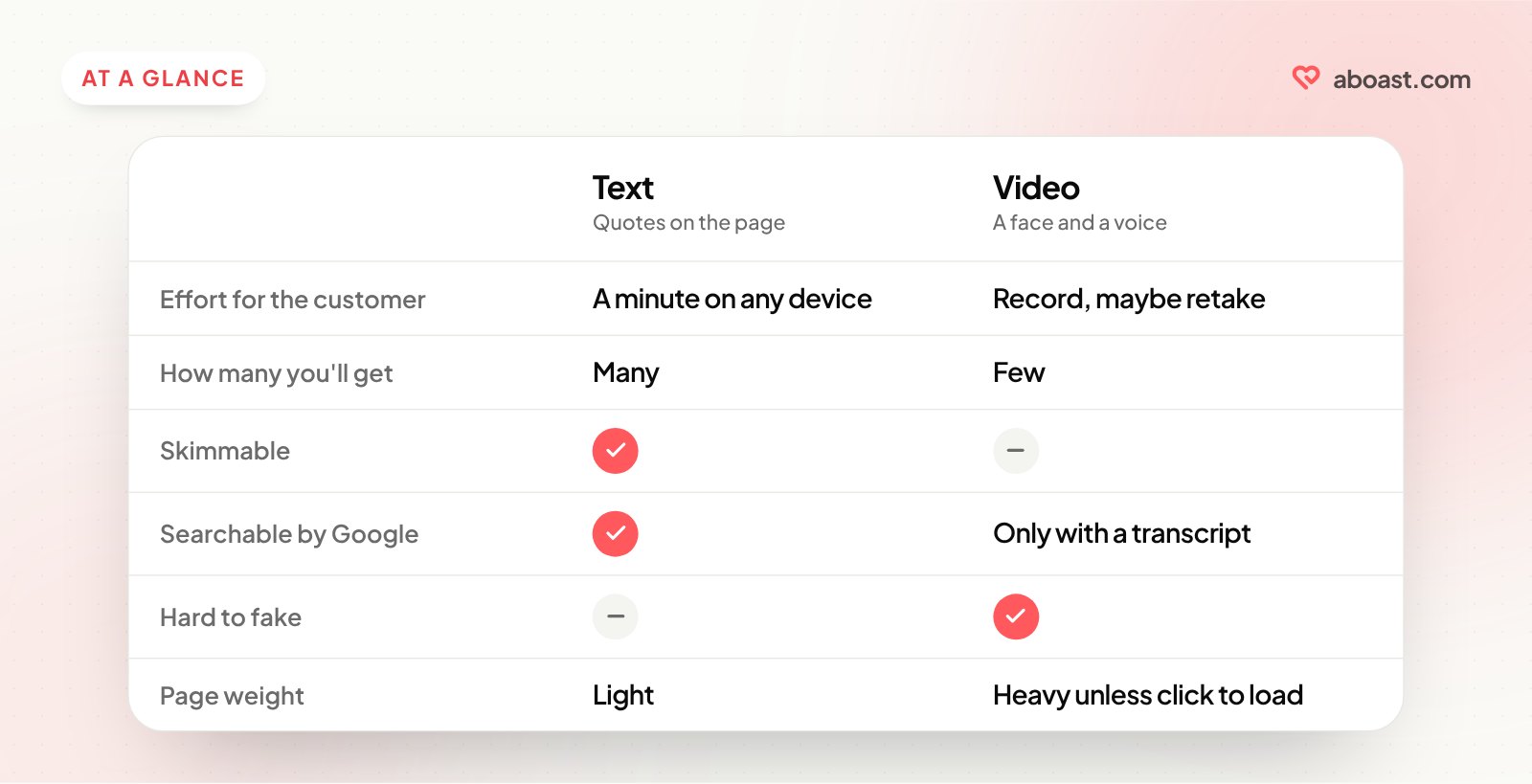
| Text testimonials | Video testimonials | |
|---|---|---|
| Effort for the customer | A minute on any device | Finding a quiet spot, recording, maybe retaking |
| Effort for you | Copy, trim, approve | Review, trim, maybe add captions |
| How many you'll get | Many — the ask is small | Few — the ask is big |
| Feels authentic | Can look made up if it's anonymous | Hard to fake a real face and voice |
| Skimmable | Yes, in a second or two | No — visitors must press play |
| Searchable by Google | Yes, it's text on your page | Only if you add a transcript or caption text |
| Page speed | Effectively free | Heavy unless loaded only when clicked |
| Works without sound | Always | Only with captions |
Neither column wins outright. Text wins on volume, speed and skimmability. Video wins on emotion and believability.
When text testimonials win
- Next to specific claims. Beside a feature or a price, visitors want a one-line answer they can read in passing, not a 40-second clip.
- When you need lots of them. A wall of love or a grid at the bottom of a page needs volume, and text is the only format where volume is realistic.
- On mobile and slow connections. Text costs nothing to load and reads fine on any screen.
- For SEO. Customer quotes on a page are indexable text, often full of the words your buyers use to describe their problem.
- Early on. With your first few customers, a short written quote is a much easier yes than a video.
When video testimonials win
- For big decisions. A higher price, a long contract or a big change makes visitors want to see a real person who went through it.
- When skepticism is high. In crowded categories where every site claims the same thing, a face and a voice are harder to dismiss.
- On sales calls and in proposals. A two-minute clip from a customer in the prospect's industry carries weight a quote can't.
- On social media. Short vertical clips fit naturally into LinkedIn, Instagram and TikTok feeds.
- When the story has emotion. Relief, pride, a team that finally stopped dreading Mondays — that comes across far better spoken than written.
Use both: the video-with-a-quote format
You don't have to choose per testimonial. The format that works best on most pages is a video thumbnail with a pull quote under it:
- The quote gives skimmers the point in one line.
- The thumbnail shows a real face, which builds trust even if nobody presses play.
- A transcript (or captions) makes the video accessible, readable without sound, and searchable.
That way every video testimonial is also a text testimonial.
How to get video testimonials without a film crew
Most customers will never book a studio. They'll record on a phone if you make it easy.
- Ask the right people. Customers who've already written you a glowing testimonial or said something lovely on a call are the most likely to agree.
- Keep it short. Ask for 30 to 60 seconds. "One minute" sounds doable; "a video testimonial" sounds like a project.
- Give three prompts. People freeze when told to "say something nice." Prompts give them a structure (see below).
- Give simple recording tips. Face a window, hold the phone at eye level, find a quiet room, record a test first.
- Say landscape or vertical. Landscape for your website, vertical for social. If you only get one, landscape is easier to crop.
- Make the upload painless. A link they can open on their phone, not "send it over WeTransfer."
- Get clear permission. Confirm where you'll use the video — website, ads, social — and keep a record of their yes.
Prompts for a 45-second video
Send these with your request and ask them to answer each in a sentence or two:
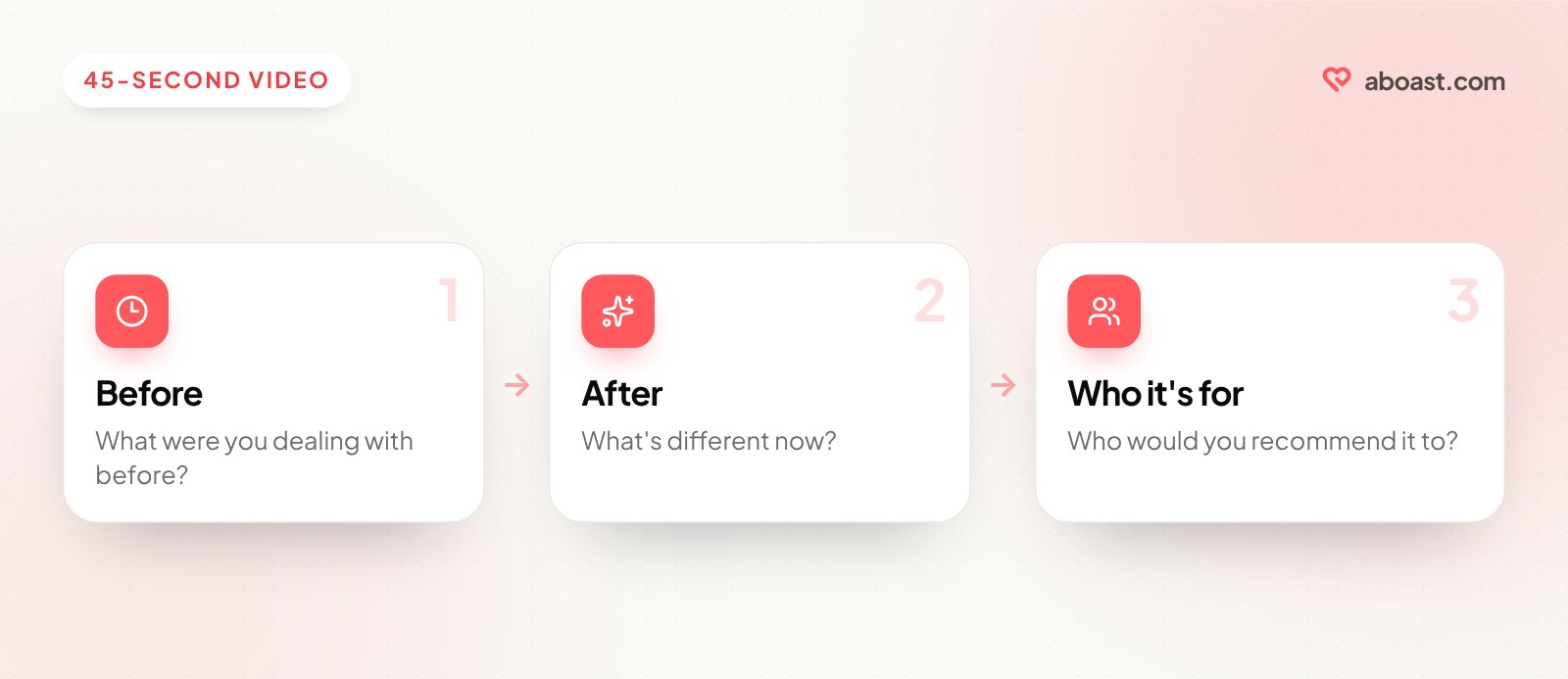
- "What were you dealing with before you started using [product]?"
- "What's different now?"
- "Who would you recommend it to?"
That's a complete story in under a minute. For more prompts, see testimonial questions to ask customers.
Keep video from slowing your page down
A video embedded the usual way can load its player before anyone presses play. On a page with several, that adds up. Two simple fixes:
- Show a thumbnail first and load the player only when the visitor clicks.
- Limit videos per page. One or two in the right spots beat six in a row.
Where aboast fits
In aboast, text testimonials work on every plan: customers answer your questions through a collection link, and you show the best quotes in widgets on your site. Video testimonials are part of the Pro plan. Whichever format a testimonial is, it lives in the same place and can go into the same widgets and wall of love.
Wrap-up
The video vs text testimonials debate has a boring answer: use both, for different jobs. Collect lots of text testimonials and put them next to the claims they support. Get a few good videos for the big-decision moments, pair each one with a pull quote, and keep them from slowing the page down. Where to put testimonials on your landing page covers which spots suit which format.