Review Schema Markup: Get Stars Showing in Google
Review schema markup can put gold stars next to your search result — but most teams implement it wrong. Here's exactly how to do it without the guesswork.
Edvin Åslund
Founder of Aboast
You've seen them — those gold stars sitting right under a search result, before anyone even clicks. They make one listing pop while every other result looks flat. If you've been wondering why your competitors have review schema markup showing and you don't, this post is for you.
The frustrating part is that the stars aren't automatic. Google won't pull your Trustpilot rating and just display it. You have to tell Google, in a specific machine-readable format, that a page contains review data. That format is called structured data, and when you get it right, Google can show rich results — including those star ratings — directly in the search snippet. Let's walk through exactly how to do it.
What Review Schema Markup Actually Is
Schema markup is a vocabulary of tags — defined at schema.org — that you embed in your page's HTML. It doesn't change what visitors see. It changes what search engines understand. The two schema types that produce star ratings in Google search results are Review (a single review) and AggregateRating (an average across many reviews). You'll almost always want AggregateRating — it's what shows a score like 4.8 out of 5 based on 143 ratings.
The format Google recommends is JSON-LD: a small block of JSON you drop into a <script type="application/ld+json"> tag in the page's <head> or <body>. It's separate from your visible HTML, which makes it easier to add without breaking your design. Microdata and RDFa are older alternatives — they work, but JSON-LD is cleaner.
Which Pages Can Actually Show Stars
Before you write a single line of markup, you need to know Google's eligibility rules. Stars don't appear for every page type — only for specific kinds of things being reviewed. Google's review snippet documentation lists types such as:
- Products (a specific item you sell)
- Software applications
- Books, movies and courses
- Recipes and events
- Local businesses and organizations — with a big catch, below
What's not a good candidate: your homepage, a generic services page, or a blog post. And here's the catch that trips up most SaaS companies: Google won't show stars for a business's reviews of itself when the markup is LocalBusiness or Organization and the business controls those reviews. That's the "self-serving reviews" rule. You can't put AggregateRating on your homepage, wrap it in Organization, and expect stars.
For SaaS, your best bet is a dedicated product page. Mark it up as a SoftwareApplication and nest the AggregateRating inside it.
Step-by-Step: Writing the Review Schema Markup
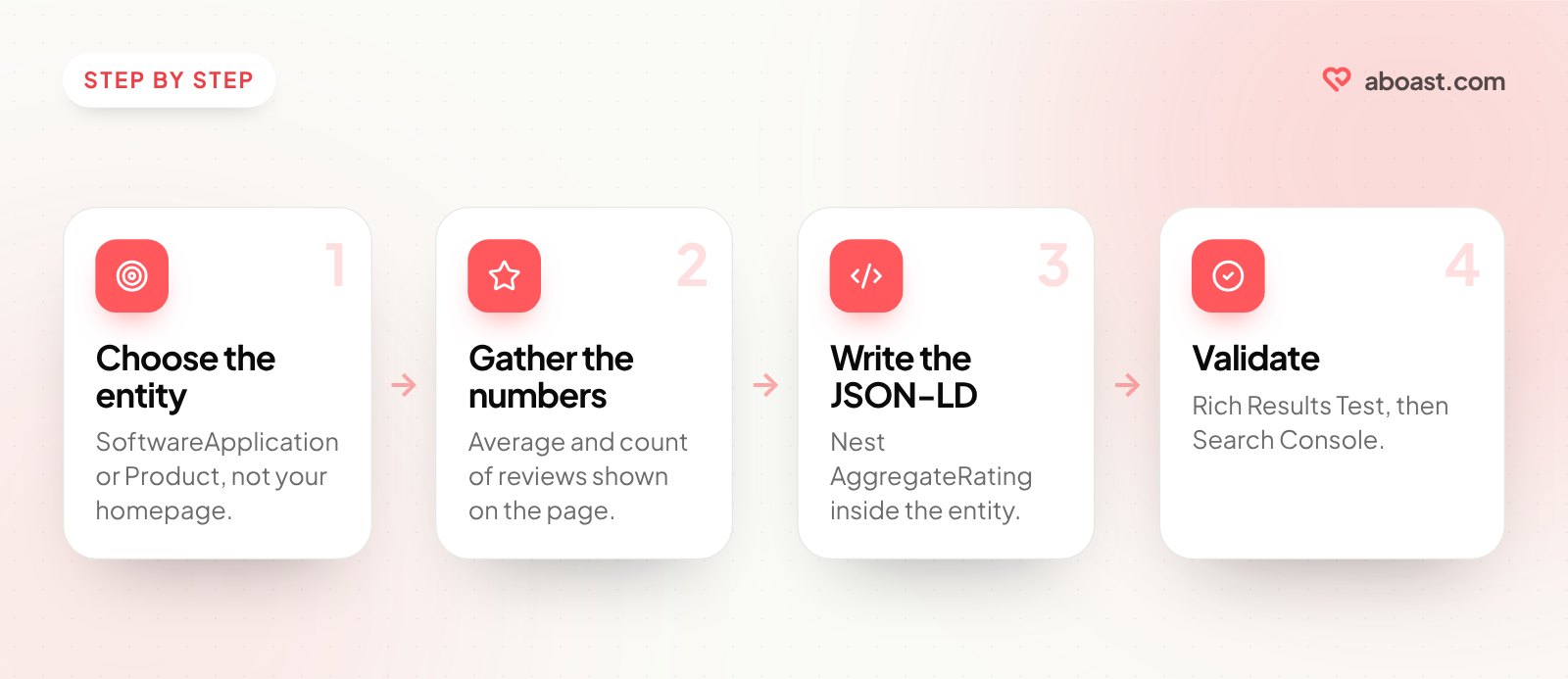
Step 1 — Choose your entity type
Decide what the page is about. A physical product? Use Product. A SaaS tool? Use SoftwareApplication. The entity type is the outer wrapper — the AggregateRating or Review goes inside it.
Step 2 — Gather the numbers you'll need
For AggregateRating you need: your average score (ratingValue), the total number of ratings (ratingCount or reviewCount), and optionally the scale (bestRating and worstRating). These must reflect real reviews, and Google's policy is that the rated content should be visible to visitors on the page.
One rule people miss: the ratings must come from your own users. Google's guidelines say sites should collect ratings directly from users, not copy them from other websites. Reviews you imported from Google, Trustpilot or Yelp are great to show on your site, but they shouldn't be counted in your markup. Only the testimonials customers submitted to you directly belong there.
Step 3 — Write the JSON-LD block
Here's a minimal example for a SaaS product page:
{
  "@context": "https://schema.org",
  "@type": "SoftwareApplication",
  "name": "YourApp",
  "applicationCategory": "BusinessApplication",
  "operatingSystem": "Web",
  "aggregateRating": {
    "@type": "AggregateRating",
    "ratingValue": "4.8",
    "ratingCount": "143",
    "bestRating": "5",
    "worstRating": "1"
  }
}
Numbers or strings both work for the values. If you leave out bestRating and worstRating, Google assumes a 1–5 scale, which is usually what you want — but being explicit avoids any ambiguity if you use a different scale.
Step 4 — Add individual Review items (optional)
You can nest individual Review objects inside your entity alongside the AggregateRating. Each Review needs an author (with a name), a reviewRating (with a ratingValue), and ideally a reviewBody with the actual text. This makes the structured data mirror what's actually on the page — which is exactly what Google wants to see.
The Rules Google Will Penalise You For Breaking
Google's structured data policies aren't suggestions. Violate them and you lose the rich results, and repeated or deliberate abuse can earn a manual action. The most common mistakes:
| Mistake | Why it's a problem | The fix |
|---|---|---|
| Marking up reviews that aren't visible on the page | Markup must describe content users can see | Show the reviews on the page, then mark them up |
| Self-serving reviews on LocalBusiness or Organization | Not eligible for stars | Use a product or app page with SoftwareApplication or Product |
| Counting reviews copied from other sites | Ratings must be collected directly from users | Mark up only reviews submitted to you |
| Inflated ratings | Markup must match your real average | Use the exact average — don't round 4.3 up to 4.9 |
| Stale numbers | Markup says 143 ratings, the page shows 12 | Generate the numbers from your data (see below) |
The underlying principle is simple: the markup should describe what's actually on the page, accurately, for real users. Build your testimonial display first, then write the markup to match it.
Testing and Validating Your Markup
Once you've added the JSON-LD block, validate it before you ship. Use Google's Rich Results Test (search.google.com/test/rich-results) — paste your URL or the raw code. It'll tell you whether the markup is valid, which rich results the page can get, and flag any missing required fields.
Also check the Schema.org validator at validator.schema.org. It checks the vocabulary itself and catches things like a property that doesn't exist on the type you declared.
After the page is live, open the Review snippets report in Google Search Console. It can take days for Google to crawl and process the markup. If you see errors there, fix them — they're specific and actionable. If the page shows as valid, it's eligible.
One thing worth knowing: valid markup doesn't guarantee stars will appear. Google decides whether to show rich results based on its own quality signals. But without valid markup, you have zero chance. Valid markup gives you a real one.
Keeping Your Markup in Sync With Real Reviews
This is the part most teams get wrong after the initial setup. They write the markup once, ship it, and never touch it again. Six months later the page shows 12 reviews but the markup still says 143. Or the average drops from 4.8 to 4.6 and the markup doesn't reflect it.
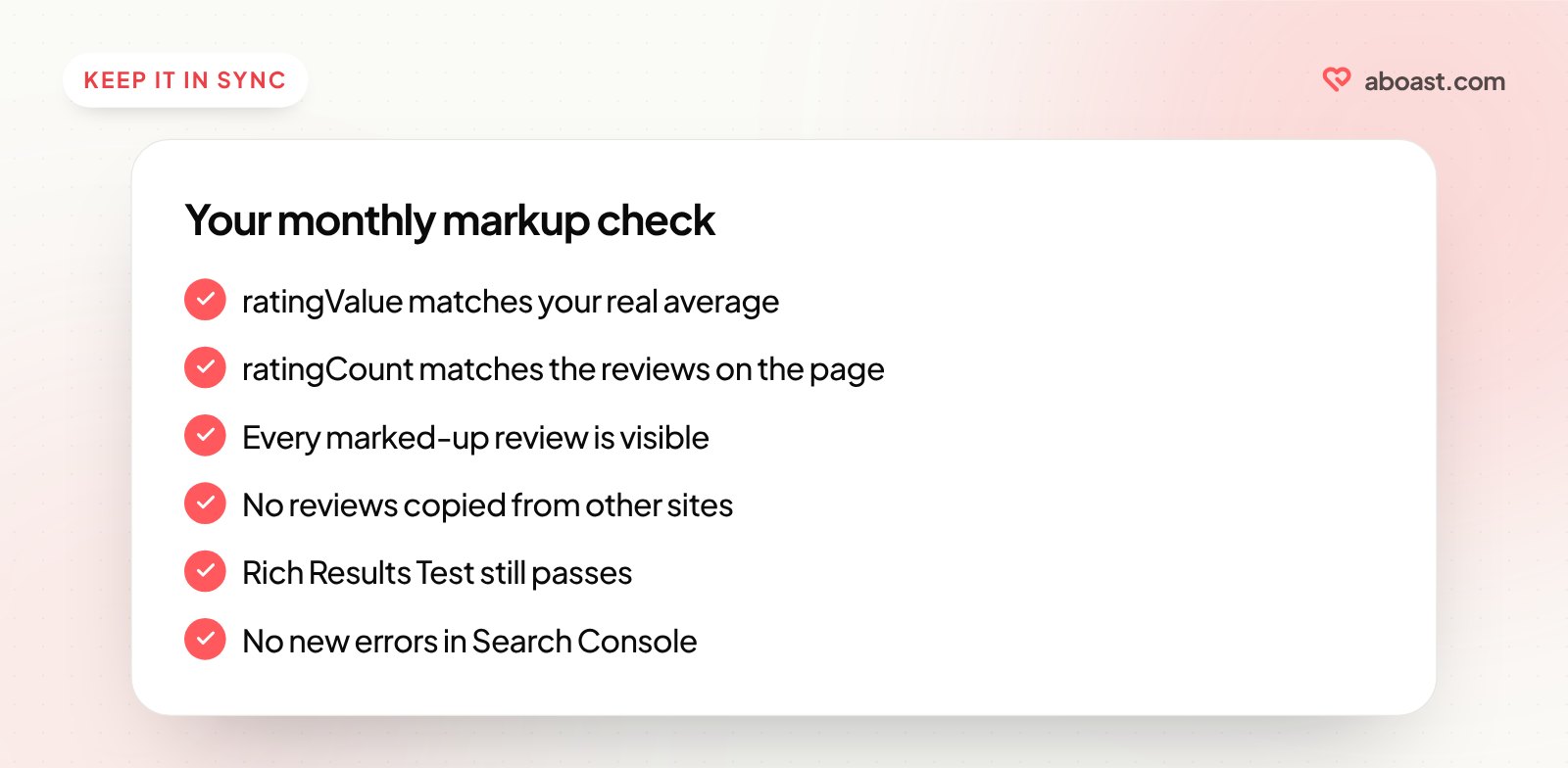
The durable fix is to generate the schema from the same data that feeds your testimonial display, rather than hardcoding it. On a site with a build step or server rendering, that's a few lines: count the approved ratings, average them, print the JSON-LD. When a new testimonial is approved, the visible reviews and the markup change together.
If you're on a static site or a CMS without that option, set a recurring reminder — monthly is fine — to check that your ratingValue and ratingCount still match what's on the page. It's a five-minute audit that protects your rich results.
To build up the reviews worth marking up in the first place, start with how to ask for a testimonial, and see where to put testimonials on your landing page for showing them where they help.
Review schema markup is one of those rare SEO tasks where the effort is low and the upside is visible — literally visible, in the search results. Get the reviews on the page first, write markup that matches them exactly, validate it, and keep it in sync. If you want a faster path to real testimonials on the right pages, aboast handles collecting them and displaying them in widgets. Every testimonial carries its star rating and where it came from, so you can tell at a glance which ones count toward your markup.