Pricing Page Testimonials: 12 Patterns That Actually Work
Most pricing pages bury or skip testimonials entirely. Here are 12 specific patterns for placing social proof where it actually moves people from hesitation to checkout.
Edvin Åslund
Founder of Aboast
Most SaaS pricing pages have a trust problem. The visitor has already read your features page. They know what you do. What they're doing on the pricing page is talking themselves out of it. They're looking for a reason to close the tab — price shock, commitment anxiety, the nagging feeling that it won't work for them specifically.
Pricing page testimonials, placed and chosen correctly, are the counter-argument that keeps people in the room. But most teams either skip them entirely or paste a generic quote at the bottom where nobody scrolls. These 12 patterns are what actually work.
1. The Objection-Matched Quote
Every pricing tier has a specific objection. The mid-tier feels like a lot of money. The top tier feels like overkill. Put a testimonial next to each plan that directly addresses why that plan is worth it. Not a generic "love this product" quote — a quote where a real customer says "I was on the mid plan and it paid for itself in the first month."
This requires you to actually collect plan-specific feedback, which most teams don't do. It's worth doing.
2. The Outcome-First Format
Testimonials that open with a vague compliment — "Great tool, highly recommend" — are invisible. Testimonials that open with a specific outcome are the ones people actually read. "We cut onboarding from two weeks to three days" stops the scroll. "Amazing support team" does not.
When you collect testimonials, ask customers to lead with the result. A good collection form prompts them: "What changed after you started using us?" That one question shift makes a huge difference in what you get back.
3. Pricing Page Testimonials Placed at the Moment of Hesitation
A pricing page has two moments of hesitation: when the visitor reads the plan they're leaning towards, and just before they click the button. Those two moments are where your testimonials need to live. Not in the footer. Not in a carousel three screens up. Right next to the "Start free trial" button.
If you have session recordings or a heatmap tool, watch where visitors on your own pricing page stop scrolling — that's where the quote goes. A single well-chosen quote beside the CTA can do more work than a full testimonials section elsewhere on the page.
4. The Role-Matched Testimonial
"Works great for our team" from a VP of Engineering means nothing to a solo founder. People trust people who look like them. If your pricing page targets multiple buyer types — agencies, startups, enterprise — show each segment a quote from someone in their situation.
This is why collecting job title and company alongside testimonials matters. You need the metadata to deploy the right quote to the right visitor.
5. The "Was It Worth It?" Quote
The single biggest question on a pricing page is: "Is this price justified?" The most powerful quote you can show is one that directly answers that. Something like: "I almost went with the cheaper option. Glad I didn't — the difference in results was obvious."
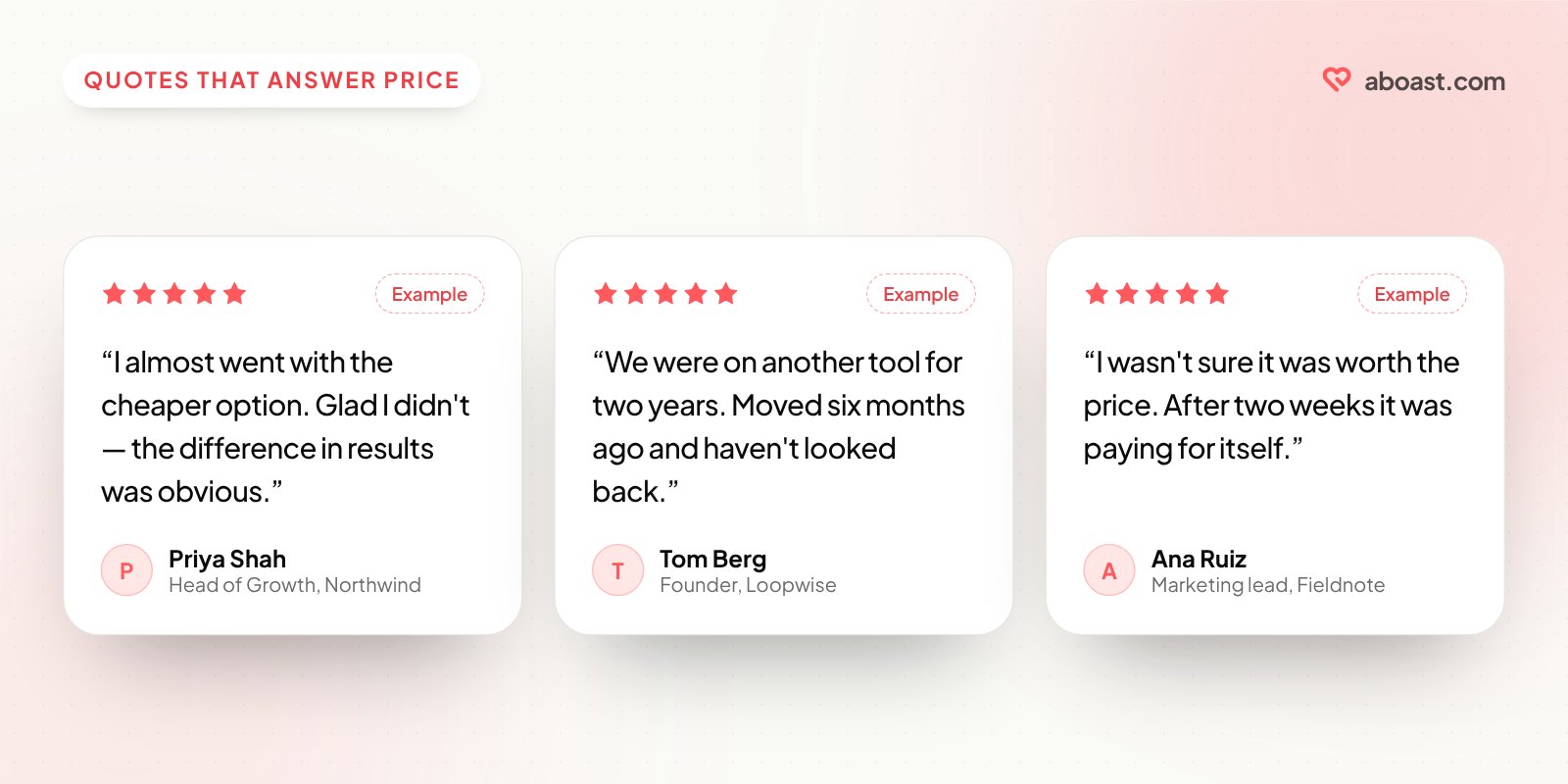
These quotes are rare because nobody thinks to ask for them. Ask explicitly: "Was the price worth it, and why?" You'll get gold.
6. Video Thumbnails on High-Ticket Plans
For plans above a certain price point — say, anything over $200/month — try a video testimonial thumbnail next to the plan instead of text alone. A real human face signals authenticity in a way a cropped headshot and a quote never fully does. Test it against your best text quote and keep whichever wins.
The video doesn't need to be long. 30–45 seconds of a customer explaining why they upgraded is enough. More on the trade-offs in video vs text testimonials.
How a Tool Like Aboast Fits Into This Workflow
The patterns above only work if you have the right testimonials to deploy. Most teams don't — not because their customers aren't happy, but because they never built a system to collect specifically targeted feedback.
With aboast, you create a collection form and share its link at the right moment — right after a customer upgrades, or after their first successful outcome. The form asks your own questions (like "was the price worth it?"), and it can tag every response automatically. Make one form per plan with that plan's name as its default tag, and you always know which quote belongs next to which tier.
Once you have the testimonials, pick the ones for the pricing page, choose a widget layout, and paste one embed snippet into the page. No dev tickets, no waiting for a sprint.
7. The Switcher Testimonial
Many visitors on your pricing page came from a competitor. They're doing a mental comparison. A testimonial from someone who switched — and explains why — is especially persuasive for this segment. "We were on [Competitor] for two years. Moved six months ago and haven't looked back."
You don't need to name the competitor. The pattern of the quote — "I switched and here's what changed" — does the work.
8. The Skeptic-to-Believer Arc
The most relatable testimonial structure on a pricing page is: doubt → trial → conviction. "I wasn't sure it was worth the price. After two weeks I realized it was paying for itself." This mirrors exactly what your pricing page visitor is feeling right now.
When collecting testimonials, ask: "What were you unsure about before you signed up?" The answers to that question are your best pricing page copy. There are more prompts like this in testimonial questions to ask customers.
9–12. Four Anti-Patterns to Drop Immediately
These patterns are common on pricing pages and work against you:
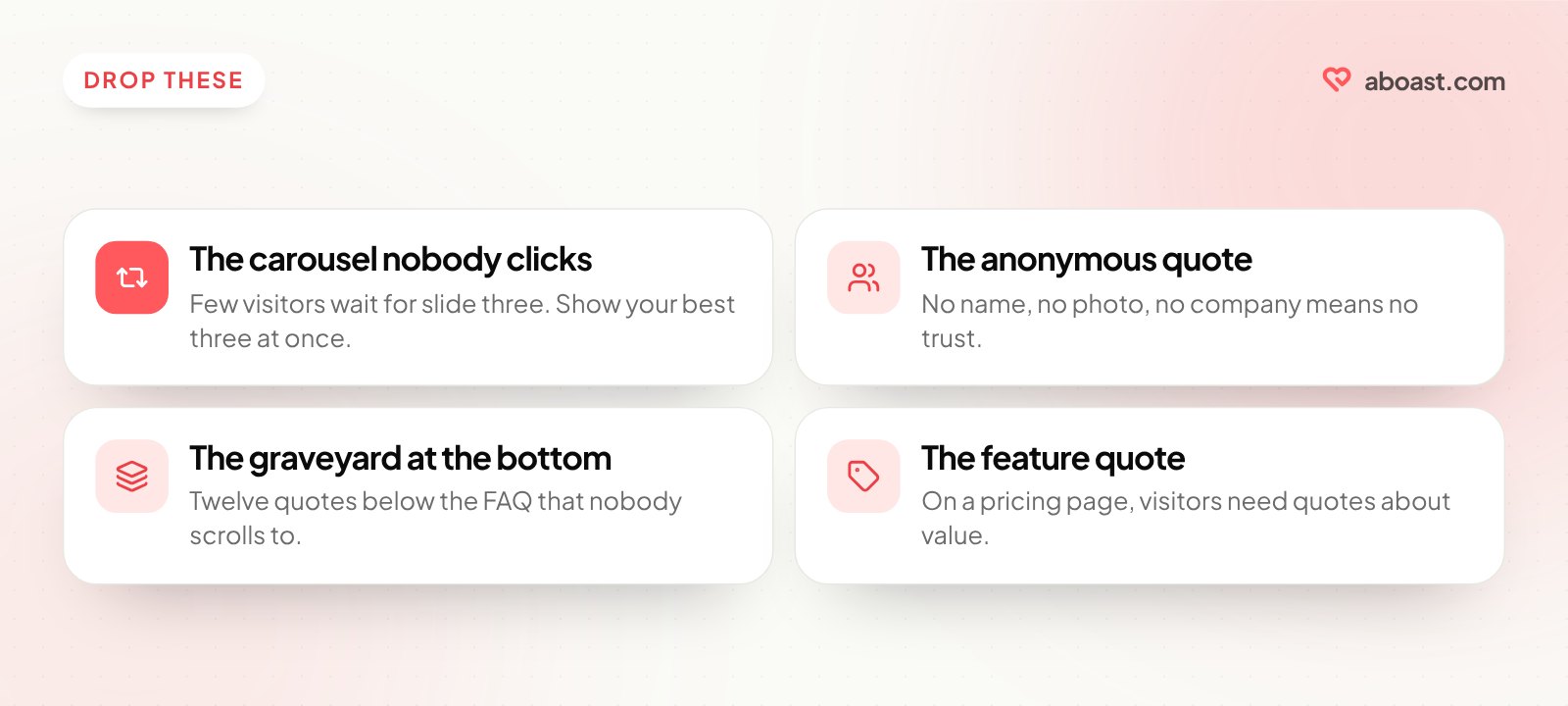
- The carousel nobody clicks. Few visitors wait for slide three of an auto-rotating carousel on a page they're trying to decide on. If you have three quotes worth showing, show all three at once.
- The anonymous quote. "— Marketing Manager, SaaS Company" is not a real person. No photo, no name, no company = no trust. If a customer won't let you use their name, the quote isn't worth using.
- The testimonial graveyard at the bottom. A grid of 12 quotes below the FAQ section that nobody scrolls to. Fewer quotes, higher up, in context — always beats a testimonial dump at the footer.
- The feature-focused quote on a price-sensitive page. "The integrations are fantastic" is a features-page testimonial. On the pricing page, you need quotes about value and whether the investment paid off. Match the quote to the mental state of the visitor.
A Simple Audit to Run Right Now
Pull up your pricing page. For each testimonial currently on it, ask three questions:
- Does it address a specific objection a buyer at this price point would have?
- Does it open with an outcome, not a compliment?
- Is it from someone who looks like the buyer I'm trying to convert?
If any quote fails two of those three, replace it. A pricing page with two great testimonials beats one with eight mediocre ones. Quality of social proof matters more than quantity at the moment of purchase.
For where social proof fits on the rest of your site, see where to put testimonials on your landing page.
The Pricing Page Is Where Decisions Are Made
Every other page on your site builds interest. The pricing page is where someone decides whether to trust you with their money. That's the page that deserves your best, most targeted social proof — not your homepage.
The gap for most teams isn't knowing this — it's not having the right testimonials on hand to execute it. That's exactly what aboast is built to fix: collect targeted feedback with your own questions, tag it by plan and use case, and embed the right quote in the right place with one snippet. If your pricing page testimonials are currently an afterthought, that's the place to start. And if you're wondering whether a full wall of love belongs on your site too, the answer is yes — just not on the pricing page.